Home / Sections / Navbar Templates
Navbar Templates for Webflow, Framer and Figma
Navigation bars for marketing sites: a classic bar, a centred-logo split, a dark bar with an announcement strip, a floating pill, a mega menu and a dark bar with search. Each one collapses into a mobile menu.

Classic bar
Navigation
Centered logo split
Navigation
Dark with announcement
Navigation · dark
Floating pill
Navigation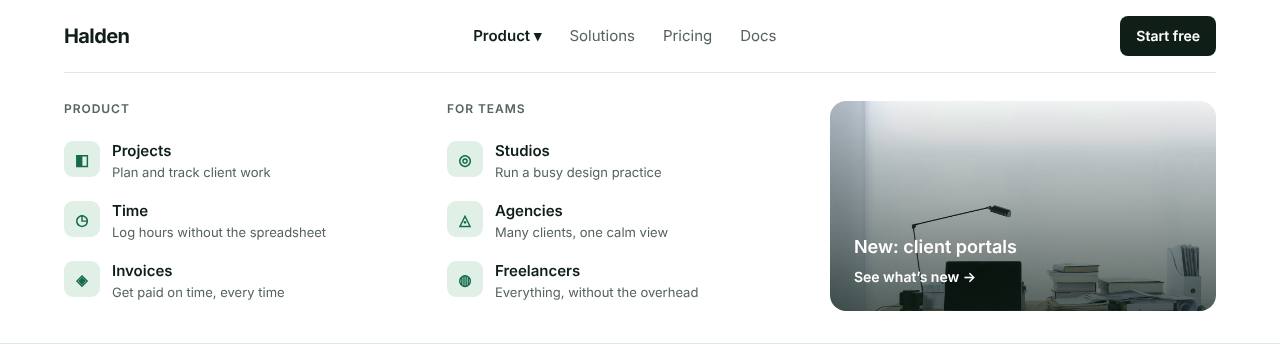
Mega menu
Navigation
Dark with search
Navigation · darkWhat makes a good navbar
- Five or six top-level links at most; anything more belongs in a mega menu or the footer.
- One button for the main action (sign up, book a call), styled differently from the links.
- A mobile menu that opens full width and is easy to close with a thumb.
How to use these navbars
Webflow
- Open the navbar in the library and choose Copy for Webflow.
- Paste it into the Webflow Designer with ⌘/Ctrl + V. It lands as native elements and classes.
Framer
- Choose Copy for Framer.
- In Framer, open Assets → Code, create a new component and paste.
Figma
- Choose Copy for Figma.
- Paste on the canvas. Text and shapes stay editable.
HTML and CSS
- Choose Copy for code.
- Paste the HTML, CSS and the small animation script into any project.
Questions
Do these navbars include a mobile menu?
Yes. Each navbar has a responsive version that switches to a menu button on small screens.
Can I make the navbar sticky?
Yes. Set the navbar to position sticky (top 0) in Webflow or Framer, or add one line of CSS in the code version.
Are these sections free?
Some are. A free Ariva account copies every free section; Pro unlocks the rest for $9 a month or $59 a year, and Lifetime is a one-time $79.
Which tools do they work with?
Every section copies into Webflow (native elements), Framer (code component), Figma (editable layers) or plain HTML and CSS.
Can I use them on client sites?
Yes. You can use the sections in websites you build for yourself and for clients. See the terms for the full licence.
Read next
More section types
Start with the free sections
Make a free account and copy any free section into Webflow, Framer, Figma or code.